Centralized Secrets for .NET Services with HashiCorp Vault
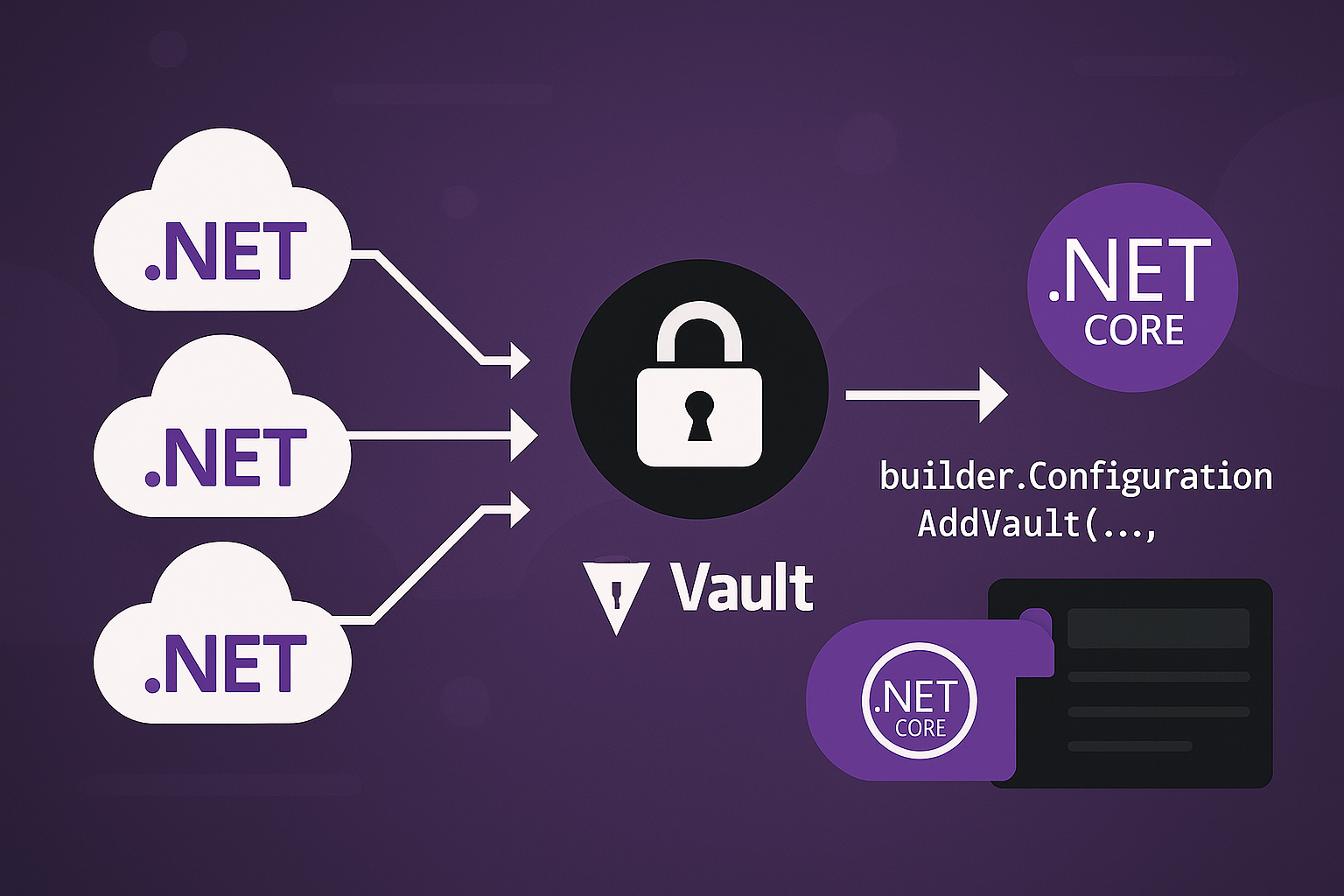
Three services, three environments, and suddenly you’re maintaining nine sets of connection strings, API keys and signing secrets. They live in appsettings.Staging.json files that someone once committed, in environment variables on a VM nobody remembers configuring, and in a Slack thread from March. Rotating any of them means a coordinated redeploy and a prayer.
HashiCorp Vault fixes the storage problem and, more usefully, the access problem. Secrets live in one place behind an audit log. Each service authenticates as itself and can read only its own paths. And for databases, Vault can stop storing long-lived passwords at all and mint short-lived credentials on demand instead.
This post wires Vault into .NET’s IConfiguration so your code keeps calling config["ConnectionStrings:Orders"] and never knows where the value came from. It covers the layout that lets shared secrets be shared and per-service secrets stay private, AppRole authentication, dynamic database credentials, and the handful of errors that account for most of the first day’s frustration.
Running Vault
Vault reads its server configuration from HCL. Keep it in a file rather than a wall of command-line flags:
# vault/config/vault.hcl
ui            = true
api_addr      = "http://0.0.0.0:8200"
cluster_addr  = "http://127.0.0.1:8201"
disable_mlock = true

listener "tcp" {
  address     = "0.0.0.0:8200"
  tls_disable = true        # development only; terminate TLS in front of Vault in production
}

storage "file" {
  path = "/vault/data"
}
And the Compose service that mounts it:
# docker-compose.yml
services:
  vault:
    image: hashicorp/vault:1.17
    container_name: vault
    restart: unless-stopped
    command: server
    ports:
      - "8200:8200"
    environment:
      VAULT_ADDR: http://127.0.0.1:8200
    cap_add:
      - IPC_LOCK
    volumes:
      - ./vault/config:/vault/config:ro
      - ./vault/data:/vault/data
      - ./vault/logs:/vault/logs
Don’t use vault server -dev for anything you’ll keep. Dev mode stores everything in memory, starts unsealed with a root token printed to stdout, and forgets all of it on restart. The configuration above persists to disk and behaves like a real Vault, which means you’ll hit sealing on day one rather than in production.
Initialising and unsealing
A fresh Vault is uninitialised. The first vault operator init generates a root key, splits it into unseal key shares (Shamir’s secret sharing), and prints them once. The UI walks you through the same thing: pick how many shares to generate and how many are needed to unseal.
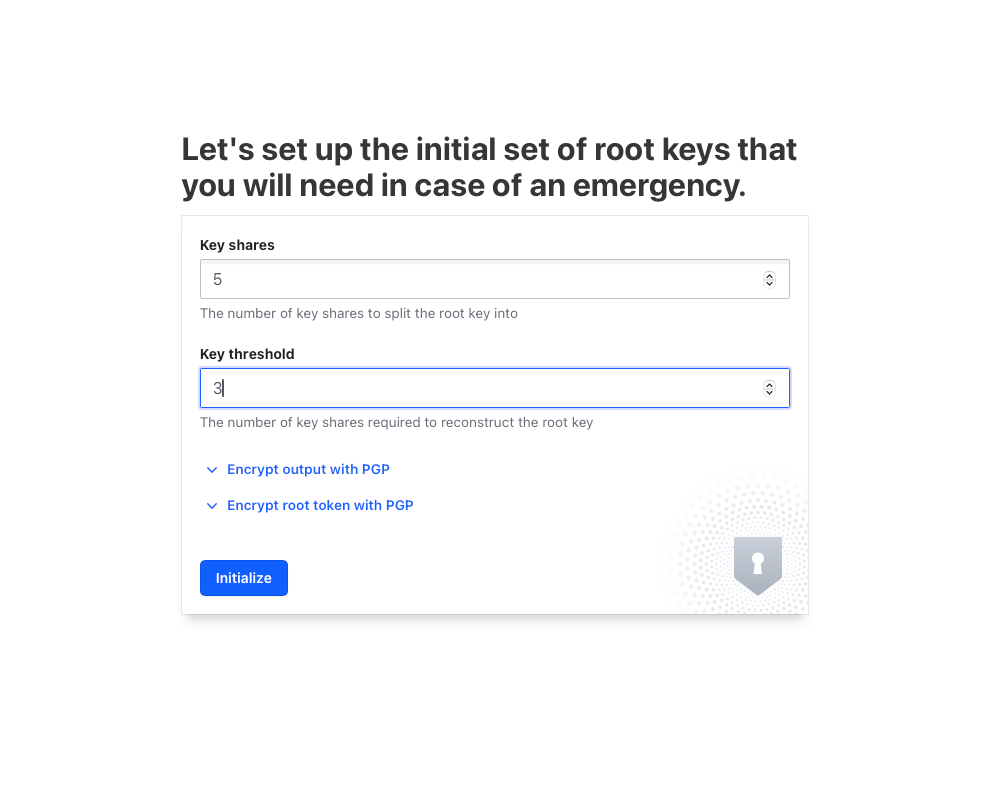
Setting the key shares and threshold on first run
Every time the Vault process starts, it comes up sealed. Sealed means the storage is there but the key that decrypts it isn’t in memory. Nothing can be read until someone supplies enough unseal shares. For development that’s you pasting keys into the UI after docker compose up. For production it’s one of two things: auto-unseal backed by a cloud KMS (AWS KMS, Azure Key Vault, GCP KMS), or an operations runbook that people actually follow at 3am. Pick auto-unseal.
Turn on the audit log as soon as it’s unsealed, so every read of every secret is recorded from the start:
vault audit enable file file_path=/vault/logs/audit.logEnabling the KV engine
Vault organises secrets into engines mounted at paths. For application configuration you want the KV version 2 engine, which keeps a version history of every secret:
vault secrets enable -path=secret -version=2 kvThe UI does the same thing under Secrets Engines. The mount path (secret here) comes back later when configuring the .NET side, and a mismatch between the two is a classic source of “key not found” with no further explanation.
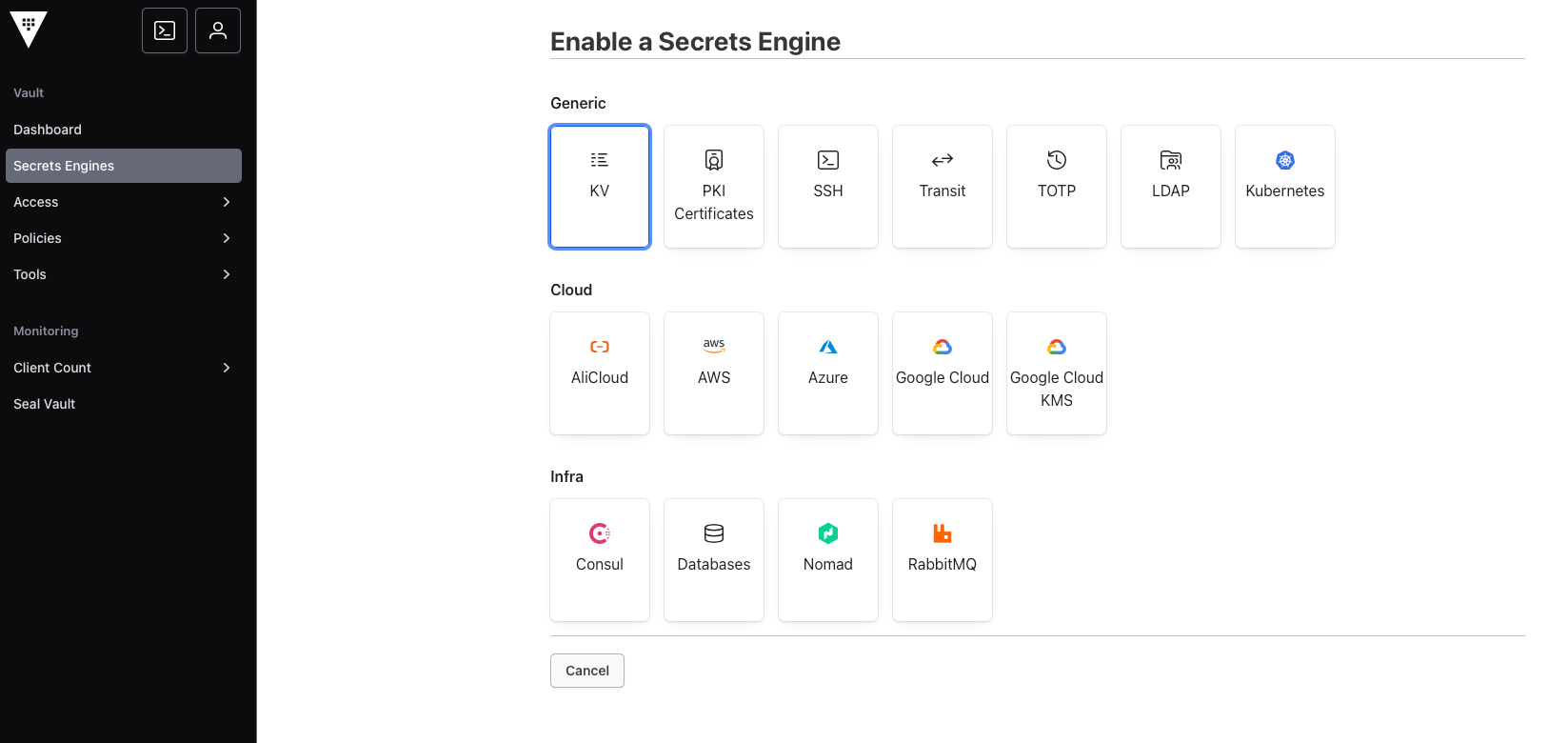
Enabling the KV v2 engine
Laying out the secrets
Three services (Orders, Customers, Billing), three environments (Dev, Staging, Prod). The layout that keeps this sane separates what’s shared from what’s scoped:
secret/Default                 shared by every service in every environment
secret/Default/Jwt             e.g. the JWT signing key everyone validates with

secret/Dev/Common              shared by every service, Dev only
secret/Dev/Orders              Dev credentials for Orders only
secret/Dev/Customers
secret/Dev/Billing

secret/Prod/Common
secret/Prod/Orders
...
Each service loads three layers in order, later layers overriding earlier ones: Default, then {Env}/Common, then {Env}/{Service}. That’s the same precedence model as appsettings.json followed by appsettings.{Env}.json, just extended into Vault.
Sub-paths become configuration sections. A secret at secret/Default/Jwt with a key Secret surfaces as config["Jwt:Secret"]. A key named ConnectionStrings:Orders placed directly at secret/Dev/Orders surfaces as exactly that. Use whichever shape matches your existing IOptions classes so nothing in the application changes.
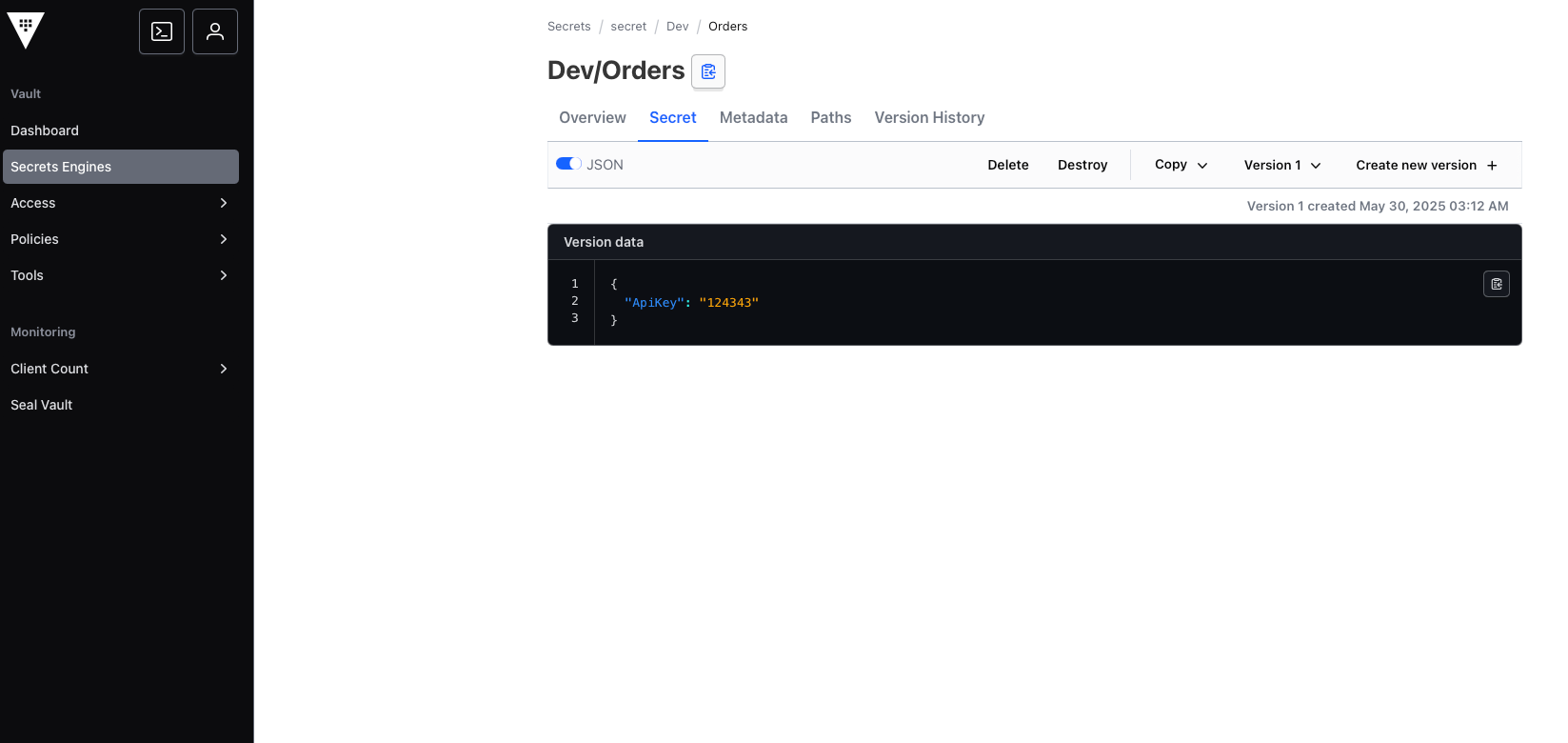
Writing secrets into the Dev/Orders path
Policies: least privilege per service
A policy is a list of paths and the capabilities allowed on each. The Orders service in Dev gets this:
# orders-dev-policy.hcl

# KV v2 stores values under data/ and bookkeeping under metadata/.
# The configuration provider lists keys before reading them, so it needs both.
path "secret/metadata/Default/*"   { capabilities = ["list", "read"] }
path "secret/data/Default/*"       { capabilities = ["read"] }
path "secret/data/Default"         { capabilities = ["read"] }

path "secret/metadata/Dev/Common/*" { capabilities = ["list", "read"] }
path "secret/data/Dev/Common/*"     { capabilities = ["read"] }
path "secret/data/Dev/Common"       { capabilities = ["read"] }

path "secret/metadata/Dev/Orders/*" { capabilities = ["list", "read"] }
path "secret/data/Dev/Orders/*"     { capabilities = ["read"] }
path "secret/data/Dev/Orders"       { capabilities = ["read"] }
vault policy write orders-dev orders-dev-policy.hclWhy data/ and metadata/? KV v2 is versioned, so the API splits reads of secret values (data/) from reads of version history and listing (metadata/). VaultSharp.Extensions.Configuration lists a path to discover what keys exist, then reads each one. Grant only data/ and you’ll see a 403 on the list call and an empty configuration section, with nothing in your application logs to explain it. The audit log will show the denied request, which is one more reason to turn it on early.
Write one policy per service per environment, and don’t be tempted by secret/*. The entire point is that a compromised Billing container can’t read the Orders database password.
AppRole: how a service proves who it is
AppRole is Vault’s authentication method for machines. A role maps to policies; a service presents a role_id (not secret, think of it as a username) and a secret_id (secret) and gets a token with the role’s policies attached.
vault auth enable approle

vault write auth/approle/role/orders-dev \
    token_policies="orders-dev" \
    token_ttl=1h \
    token_max_ttl=24h \
    secret_id_ttl=0 \
    secret_id_num_uses=0
secret_id_ttl=0 and secret_id_num_uses=0 mean the secret ID never expires and can be reused. That’s acceptable on a laptop. In production, give secret IDs a short TTL and a use count of one, and deliver them through a trusted orchestrator: Vault Agent, the Kubernetes auth method, or your CI system injecting them at deploy time with response wrapping. The whole AppRole model assumes the secret ID is delivered by something other than the thing that knows the role ID, which in practice means your deployment pipeline or an agent on the host.
Fetch the two halves:
vault read -field=role_id   auth/approle/role/orders-dev/role-id
vault write -f -field=secret_id auth/approle/role/orders-dev/secret-id
(Note the role name in those paths is the role, orders-dev, not the policy. The first version of this post had them crossed, and the resulting error is an unhelpful 404.)
The service gets them as environment variables and nothing else:
VAULT_ADDRESS=http://vault:8200
VAULT_ROLE_ID=4f9c...
VAULT_SECRET_ID=a1b2...
Wiring it into IConfiguration
dotnet add package VaultSharp.Extensions.Configurationusing VaultSharp.Extensions.Configuration;
static void AddVaultLayers(IConfigurationBuilder config, string environment, string service, ILogger logger)
{
var address = Environment.GetEnvironmentVariable("VAULT_ADDRESS");
var roleId = Environment.GetEnvironmentVariable("VAULT_ROLE_ID");
var secretId = Environment.GetEnvironmentVariable("VAULT_SECRET_ID");
if (string.IsNullOrEmpty(address) || string.IsNullOrEmpty(roleId) || string.IsNullOrEmpty(secretId))
{
// Decide this deliberately. Failing closed is the safer default for anything past dev.
logger.LogCritical("Vault settings missing; running on appsettings only");
return;
}
var options = new VaultOptions(
vaultAddress: address,
vaultToken: null,
vaultSecret: secretId,
vaultRoleId: roleId,
reloadOnChange: true,
reloadCheckIntervalSeconds: 300);
foreach (var path in new[] { "Default", $"{environment}/Common", $"{environment}/{service}" })
{
config.AddVaultConfiguration(() => options, basePath: path, mountPoint: "secret", logger: logger);
}
}And in Program.cs:
var builder = WebApplication.CreateBuilder(args);

var bootLogger = LoggerFactory.Create(b => b.AddConsole()).CreateLogger("Vault");
AddVaultLayers(builder.Configuration, builder.Environment.EnvironmentName, "Orders", bootLogger);

builder.Services.Configure<JwtOptions>(builder.Configuration.GetSection("Jwt"));
Order matters. WebApplication.CreateBuilder has already added appsettings.json, appsettings.{Env}.json, user secrets and environment variables by the time this runs, so the Vault layers go on top and win. If you’d rather environment variables override Vault (useful for emergency overrides in a container), call builder.Configuration.AddEnvironmentVariables() again after the Vault layers.
reloadOnChange: true with a 300-second interval means a rotated secret reaches the application within five minutes, through the normal IOptionsMonitor<T> change notification. Anything that cached the value at startup (a singleton HttpClient with a baked-in API key, a connection pool) won’t see it, and that’s the real work of rotation: finding those caches.
Nothing downstream changes:
public sealed class OrdersDb(IConfiguration config)
{
    private readonly string _cs = config.GetConnectionString("Orders")
        ?? throw new InvalidOperationException("ConnectionStrings:Orders not configured");
}
Dynamic database credentials
Static secrets in KV are an improvement on JSON files. Dynamic secrets are the actual payoff. Vault’s database secrets engine holds one privileged account on your Postgres, and uses it to create a fresh role with a random password, scoped and time-limited, every time a service asks:
vault secrets enable database

vault write database/config/orders-db \
    plugin_name=postgresql-database-plugin \
    allowed_roles="orders-app" \
    connection_url="postgresql://{{username}}:{{password}}@postgres:5432/orders?sslmode=disable" \
    username="vault_admin" \
    password="initial-password"

vault write database/roles/orders-app \
    db_name=orders-db \
    creation_statements="CREATE ROLE \"{{name}}\" WITH LOGIN PASSWORD '{{password}}' VALID UNTIL '{{expiration}}'; \
                         GRANT SELECT, INSERT, UPDATE, DELETE ON ALL TABLES IN SCHEMA public TO \"{{name}}\";" \
    default_ttl="1h" \
    max_ttl="24h"
Add path "database/creds/orders-app" { capabilities = ["read"] } to the Orders policy, and run vault write -f database/rotate-root/orders-db so even the privileged password is one only Vault knows.
The configuration provider is for KV; dynamic credentials need the VaultSharp client directly, because they come with a lease that has to be renewed or replaced:
using VaultSharp;
using VaultSharp.V1.AuthMethods.AppRole;

var client = new VaultClient(new VaultClientSettings(address, new AppRoleAuthMethodInfo(roleId, secretId)));

var creds = await client.V1.Secrets.Database.GetCredentialsAsync("orders-app");
var username = creds.Data.Username;
var password = creds.Data.Password;
var leaseSeconds = creds.LeaseDurationSeconds;   // renew before this elapses, or fetch new ones
Wrap that in a hosted service that fetches credentials at startup, renews the lease at roughly two-thirds of its duration with client.V1.System.RenewLeaseAsync, and on failure fetches a new set and rebuilds the connection string. The benefit is substantial: a leaked connection string is useless within the hour, the audit log tells you which service held which database role at any moment, and revoking access to a compromised service is one vault lease revoke -prefix database/creds/orders-app.
Troubleshooting
503 Vault is sealed.
The container restarted. Unseal it, and if this is anything but a laptop, set up auto-unseal so it doesn’t happen again.
403 permission denied on startup, and configuration sections come back empty.
The policy is missing the metadata/ path with list, or the path in the policy doesn’t match the path you’re loading (watch the trailing /* versus the exact path; KV v2 needs both for a folder-style layout). Read the audit log: it names the exact path and capability that was denied.
404 fetching the role ID or secret ID.
You used the policy name where the role name goes, or AppRole isn’t enabled on that Vault. vault auth list and vault list auth/approle/role will show you.
Configuration keys are missing but there’s no error at all.
Mount point mismatch (secret versus kv), a base path with a leading slash, or a case difference. Vault paths are case-sensitive; dev/orders and Dev/Orders are different secrets.
A rotated secret isn’t reaching the app.
Either reloadOnChange is off, the interval hasn’t elapsed, or the consumer is reading IOptions<T> (snapshot at first use) instead of IOptionsMonitor<T>. Or something cached the raw value.
Everything works locally and fails in the cluster.
VAULT_ADDRESS is localhost inside a container, or the service can’t reach Vault’s network, or the secret ID was generated with secret_id_num_uses=1 and has already been consumed by a previous start.
x509: certificate signed by unknown authority.
You turned TLS on (good) with an internal CA. Mount the CA certificate into the container and trust it, or configure VaultSharp’s MyHttpClientProviderFunc with a handler that validates against it. Don’t disable certificate validation to make the error go away.
Do you need Vault at all?
Vault is an operational commitment: unsealing, backups of the storage back end, high availability if you need it, upgrades, and someone who understands the policy language. It earns its keep when you have several services, several environments, and a reason to care who read what. Skip it when:
- You have one or two services on a single cloud. AWS Secrets Manager, Azure Key Vault or GCP Secret Manager plug into
IConfigurationwith a NuGet package, have no unseal step, and are managed for you. The IAM story is also simpler because it’s the same IAM you already use. - You’re running on Kubernetes and the secrets are only ever consumed as environment variables. External Secrets Operator syncing from a cloud secret manager may be all you need.
- You’re a solo developer or a small team at the prototype stage.
dotnet user-secretslocally and your platform’s environment variables in production. Come back to Vault when rotation or auditing becomes a requirement, which is usually the first time a customer’s security questionnaire arrives.